
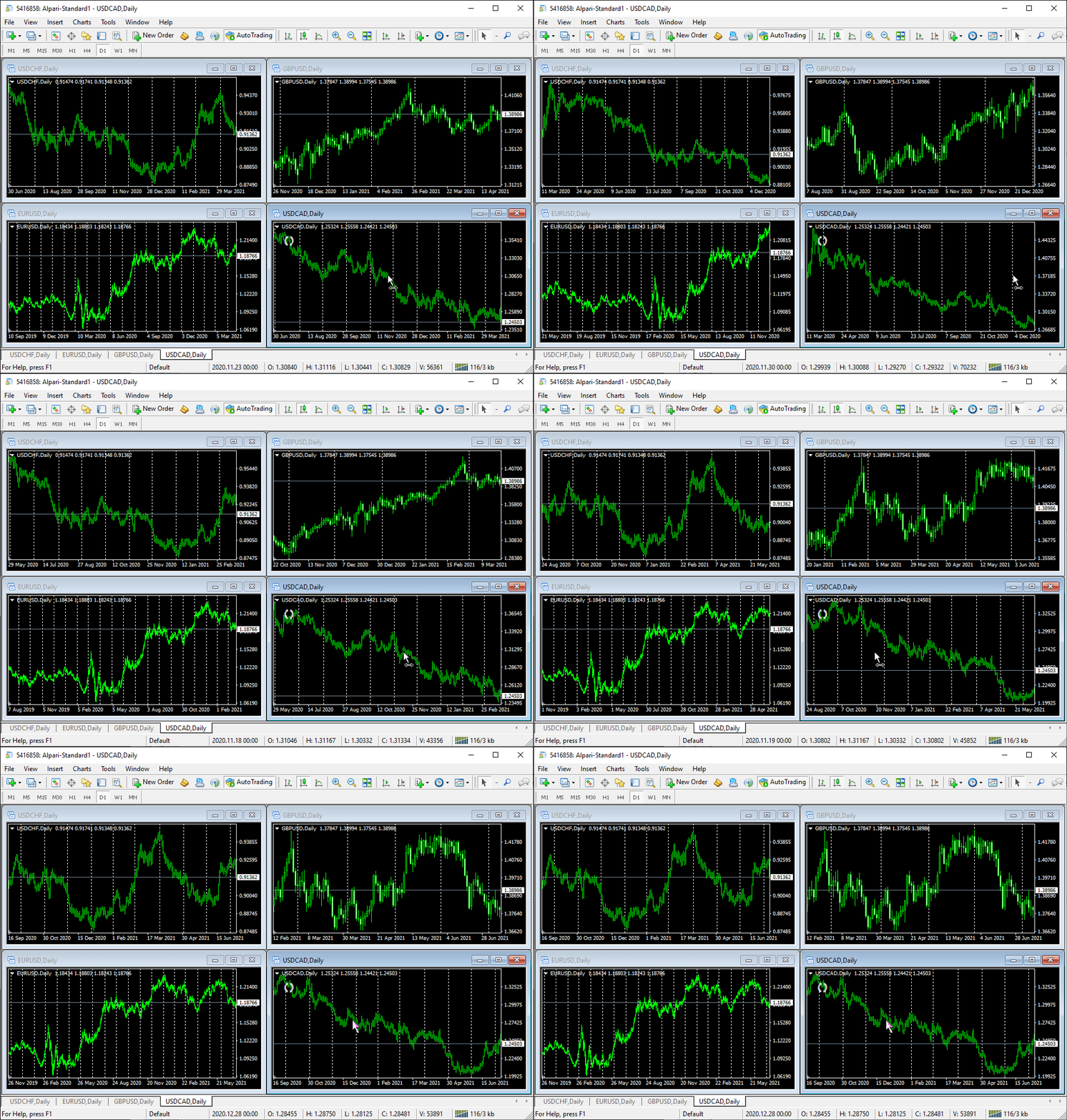
Download MT4 software to access one of the most widely used Forex trading platforms in the world. MetaTrader 4 (MT4) gives retail traders professional-grade charting, order execution, indicators, Expert Advisors (EAs), and risk management tools—all in a lightweight, stable platform. It’s free, broker-supported, and suitable for beginners and advanced traders alike.
👉 You can download the newest version of the MT4 terminal right here.
What Is MT4 (MetaTrader 4)?
MetaTrader 4, commonly called MT4, is a trading platform developed by MetaQuotes. It’s designed primarily for Forex trading but also supports CFDs on indices, commodities, and metals—depending on your broker.
MT4 became the industry standard because it balances power and simplicity. It runs fast, works on almost any device, and supports advanced tools without overwhelming the user.
Key reasons traders still download MT4:
-
Stable execution, even on low-spec devices
-
Advanced charting and technical analysis
-
Automated trading via Expert Advisors (EAs)
-
Massive third-party ecosystem (indicators, scripts, bots)
-
Free to download and use
Is MT4 Still Relevant in 2026?
Yes. Despite the release of MT5, MT4 remains dominant among retail Forex traders.
Here’s why:
-
Most Forex brokers still support MT4
-
Thousands of indicators and EAs are built exclusively for MT4
-
Lower system requirements than MT5
-
Faster learning curve
-
Ideal for discretionary, swing, and position traders
For pure Forex trading, MT4 is still the most practical choice.
How to Download MT4 Software (Safe & Official)
There are two safe ways to download MT4 software. Anything else is unnecessary risk.
Option 1: Download MT4 From Your Forex Broker (Recommended)
Most regulated brokers provide a custom MT4 version already connected to their servers.
Pros
-
Pre-configured trading servers
-
No manual setup
-
Broker-specific symbols and spreads
-
Faster login
Cons
-
Locked to that broker
👉 This is the best option. You can easily download the newest version of the MT4 terminal right here. (directly from the broker)
Option 2: Download MT4 From MetaQuotes (Official Source)
MetaQuotes offers the base MT4 terminal.
Pros
-
Clean, broker-neutral installation
-
Useful for testing, demos, or offline charting
Cons
-
You must manually add broker servers
MT4 Download Options by Device
MT4 for Windows
-
Full-featured desktop terminal
-
Supports all indicators, EAs, scripts
-
Best performance and stability
Recommended for: serious traders, automation, multi-monitor setups
MT4 for Mac
-
Available via broker installers or emulators
-
Slightly limited compared to Windows
-
Some brokers offer native macOS builds
Recommended for: discretionary traders using charts and manual execution
MT4 Mobile (Android & iOS)
-
Lightweight and fast
-
Trade execution, charts, indicators
-
Limited customization compared to desktop
Recommended for: trade management, monitoring, emergency execution
MT4 WebTrader
-
Runs in browser
-
No installation required
-
Limited features
Recommended for: quick access when away from your main device
Minimum System Requirements for MT4
MT4 is extremely lightweight.
| Component | Requirement |
|---|---|
| OS | Windows 7+ / macOS / Android / iOS |
| RAM | 1 GB (2 GB recommended) |
| CPU | Any modern processor |
| Disk | ~100 MB |
| Internet | Stable broadband |
MT4 runs smoothly even on older laptops and VPS environments.
How to Install MT4 Step by Step
-
Download MT4 from your broker or MetaQuotes
-
Run the installer
-
Choose installation folder
-
Launch the platform
-
Log in using demo or live account credentials
That’s it. No licenses, no payments, no activation.
MT4 Features That Actually Matter
Advanced Charting
-
9 timeframes
-
30+ built-in indicators
-
Unlimited custom indicators
-
Multiple chart layouts
Order Types
-
Market orders
-
Buy/Sell limits
-
Buy/Sell stops
-
Trailing stops
Automated Trading (EAs)
-
Run trading robots 24/5
-
Backtest strategies
-
Optimize parameters
Risk Management
-
Position sizing
-
Stop-loss & take-profit
-
Partial closes
-
Account history analytics
MT4 vs MT5 (Quick Reality Check)
| Feature | MT4 | MT5 |
|---|---|---|
| Forex focus | ✅ | ⚠️ |
| Simplicity | ✅ | ❌ |
| EAs ecosystem | Massive | Smaller |
| Hedging | Native | Broker-dependent |
| Learning curve | Low | Higher |
If you trade Forex only, MT4 is usually the better tool.
Is MT4 Free?
Yes. Completely.
You do not pay for:
-
Download
-
Installation
-
Updates
-
Indicators
-
Demo accounts
You only pay trading costs (spread, commission) to your broker.
Common MT4 Download Mistakes to Avoid
-
Downloading from random websites
-
Using cracked or modified builds
-
Installing unnecessary plugins
-
Ignoring broker compatibility
-
Running MT4 without updates
Stick to broker websites or MetaQuotes only.
Security & Safety Considerations
MT4 itself is safe. Risks come from:
-
Unregulated brokers
-
Malicious indicators or EAs
-
Fake download pages
Best practices
-
Use regulated brokers
-
Scan custom files
-
Avoid “guaranteed profit” EAs
-
Keep platform updated
Who Should Download MT4?
MT4 is ideal for:
-
Beginner Forex traders
-
Swing traders (H1–Daily)
-
Algorithmic traders
-
VPS-based strategies
-
Traders who value simplicity
If you trade Forex seriously, MT4 remains a solid foundation.
Frequently Asked Questions (FAQ)
Can I use MT4 without a broker?
You can install it, but you need a broker account to trade live or demo.
Can I have multiple MT4 installations?
Yes. Many traders run multiple terminals for different brokers or strategies.
Does MT4 work with crypto?
Only if your broker offers crypto CFDs on MT4.
Is MT4 good for beginners?
Yes. It’s one of the easiest platforms to learn.
Can I migrate from MT4 to MT5 later?
Yes, but indicators and EAs are not directly compatible.
Final Takeaway
Downloading MT4 software gives you access to a proven, stable, and trader-focused platform that still dominates Forex trading. It’s free, lightweight, and supported by nearly every serious broker. If your goal is efficient Forex trading without unnecessary complexity, MT4 remains one of the smartest tools you can use.